
Princess Slime Craft Studio
What players say
Princess Slime Craft Studio is a free browser game aimed at children and families who enjoy hands-on crafting without pressure. Its strengths are the guided mixing process, the variety of safe ingredients, and the packaging stage that rewards creativity. The absence of timers or fail states makes it approachable for younger players. The main limitation is that the experience is intentionally simple and repetitive, which suits its target audience but may not hold older players for long.
How to play
Running Eliza's Slime Factory
Princess Slime Craft Studio puts players in charge of a digital slime workshop owned by Princess Eliza. The objective is straightforward: combine safe, everyday ingredients to create colorful slimes, then prepare each batch for delivery. There is no combat, no timer, and no fail state. The game is built around mixing, decorating, and packaging rather than competition, which keeps the pace calm and lets younger players work at their own speed.
Mixing by the Guide
Each session starts with ingredient selection. The list includes liquid soap, shampoo, toothpaste, shaving foam, baking soda, glue, coloring, and glitter. A built-in guide shows the correct order and amounts, so players learn a repeatable process instead of guessing. Using a mouse or touch screen, they stir and combine the mixture until it reaches the right consistency. Following the guide matters because the recipe determines the final result, and experimenting with different combinations reveals new slime variations.
Packaging and Decoration
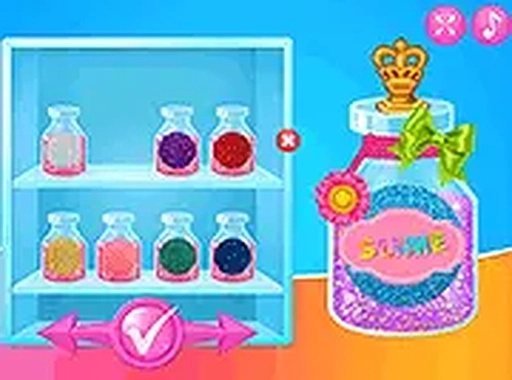
Once a slime is ready, the game shifts to presentation. Players choose a bottle design, add stickers and accessories, and label the finished product for shipping. This stage rewards attention to detail rather than speed. Because there are no time limits, players can spend as long as they like matching colors, arranging decorations, and making each bottle distinct.
Controls and Access
The game runs in a browser on both mobile and desktop devices with no download required. Touch controls on phones and tablets mirror the mouse controls on computers, and full-screen mode is available for a larger workspace. The interface is designed to be accessible for children, with simple interactions and clear on-screen instructions throughout.
Compatibility
FAQ
Comments
Sign in to comment
You must be logged in before posting a review or rating.
No comments yet. Be the first to comment!


Editorial Notes