
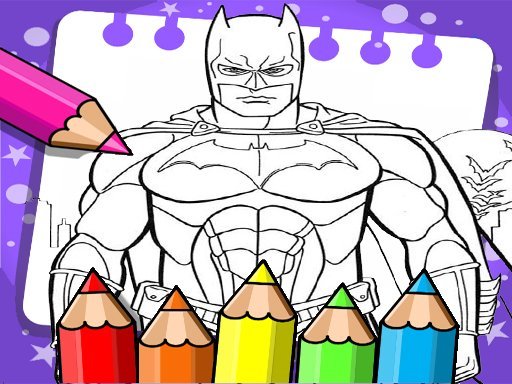
Future Hero Coloring Activity
What players say
Future Hero Coloring Activity keeps things simple: pick a futuristic hero outline, fill regions with color, undo mistakes, and print the result. The absence of timers, scores, and complex rules makes it well suited to young children or anyone seeking a quiet creative break. The browser-only format removes installation barriers. Its main limitation is the lack of digital saving or sharing beyond printing, but for a free coloring activity, the core experience is focused and accessible.
How to play
Coloring Futuristic Hero Artwork
Future Hero Coloring Activity is a browser-based creative tool for children. Players select from a collection of black-and-white outline drawings featuring futuristic hero characters and scenes. Each picture is divided into fillable regions. The goal is simple: apply color to every area to complete the artwork. There are no timers, scores, or win conditions, so the pace is entirely up to the child.
How Children Interact with the Canvas
From the main menu, a child browses the available images and picks one that appeals to them. A color palette appears alongside the drawing. Selecting a shade and then clicking a region fills that area immediately. If a color choice does not look right, an undo option reverses the last action. This immediate visual feedback helps young players understand cause and effect without needing to read instructions. Once the picture is finished, a print button lets them create a physical copy.
Designed for Independent, Low-Pressure Play
Every part of the interface is built for young children to use on their own. The palette is straightforward, the undo function prevents frustration, and the print option gives the activity a tangible result. Because the game runs in a web browser, it works on most devices without installing software or creating an account. This makes it practical for quiet time at home or during travel. The activity also supports fine motor development as children select colors and click within defined shapes.
Getting the Most from the Activity
Children can revisit the same picture multiple times and try different color combinations. Using both light and dark shades within one image adds depth to the finished piece. The undo button encourages experimentation without fear of ruining work. Printing completed pictures provides a way to display or share the art. Regular use helps build confidence with color selection and steady hand control.
Compatibility
FAQ
Comments
Sign in to comment
You must be logged in before posting a review or rating.
No comments yet. Be the first to comment!




Editorial Notes