
Fruit Merge Puzzle
Arcade
Puzzle
Casual
Merge
Strategy
Family
Advertisement
Faq
Can I play Fruit Merge Puzzle on mobile devices?
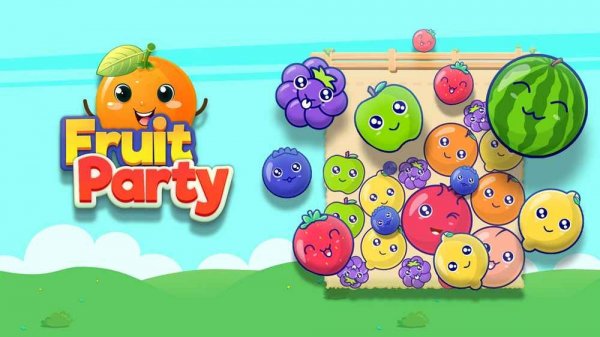
Fruit Merge Puzzle is designed to be played on various platforms, including mobile devices. The simple tap controls make it easy to play on touchscreens, providing a seamless experience whether you are on a phone, tablet, or computer.
Are there different types of fruits to merge in Fruit Merge Puzzle?
Yes, the game includes a variety of fruits that start small and merge into larger ones. As you progress, you may encounter different fruit types, each with its own appearance and size, adding visual variety to the gameplay.
How do I earn coins in Fruit Merge Puzzle?
Coins are earned each time you successfully merge two identical fruits. The larger the fruit you create, the more coins you may receive. These coins can then be used to purchase power-ups that help manage the basket and extend your play session.
Is there a way to reset my progress in Fruit Merge Puzzle?
Most versions of Fruit Merge Puzzle allow you to start a new game, which resets your current score and basket. However, any coins or upgrades you have purchased may be retained depending on the game's settings. Check the game's menu for options.
What happens if the basket overflows in Fruit Merge Puzzle?
If the basket becomes too full and fruits spill out, the game ends. This adds a layer of strategy, as you must plan your drops carefully to maximize merges and avoid overflow. You can then start a new game to try for a higher score.
Are there any in-app purchases in Fruit Merge Puzzle?
Some versions of Fruit Merge Puzzle may offer optional in-app purchases for additional coins or power-ups. These purchases are not required to enjoy the game, as coins can be earned through regular gameplay. Always check the app store description for details.















































Leave a Review